
Mimic - AI Photo Face Animator
ScaleUp
Downloads
5,000,000+
Source
Google Play
Advertisement
Click to download now, finish the installation quickly, and directly unlock the all-round experience
Advertisement
Screenshots










Click to download now, finish the installation quickly, and directly unlock the all-round experience
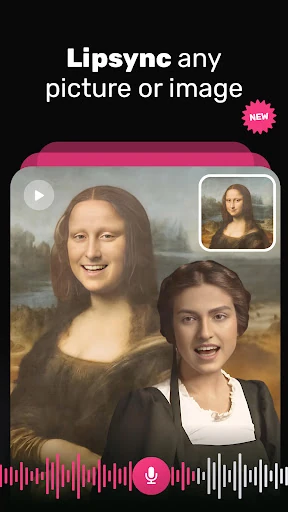
Mimic - AI Photo Face Animator turns a still portrait into a short animated clip. It maps facial movement onto the photo, then pairs the result with audio so the person in the image can appear to sing, speak or react. That makes it a fit for people who want quick, playful edits rather than a full video-editing workflow.
The app keeps the process focused on a few basic choices: select a suitable photo, choose an audio track or sound, and let the animation render. Preset-driven creation is useful when speed matters or when you want a shareable joke without adjusting individual facial movements, timing or effects by hand.
Mimic gives up some fine control in exchange for a simpler workflow. The result depends heavily on the source image: a clear, front-facing portrait is more likely to produce a convincing animation than an angled or low-quality photo. Like other automated face-animation tools, it can also produce awkward expressions or visible artifacts when the image does not suit the effect.
Its 4.3 rating comes from more than 83,000 reviews, and the app has recorded 5,000,000+ installs. Those figures show broad use, but they do not settle whether its preset-based approach fits you. Mimic is the more relevant choice if you value fast, amusing portrait animations; look elsewhere if manual control over every part of a video matters more. The listed developer is ScaleUp.